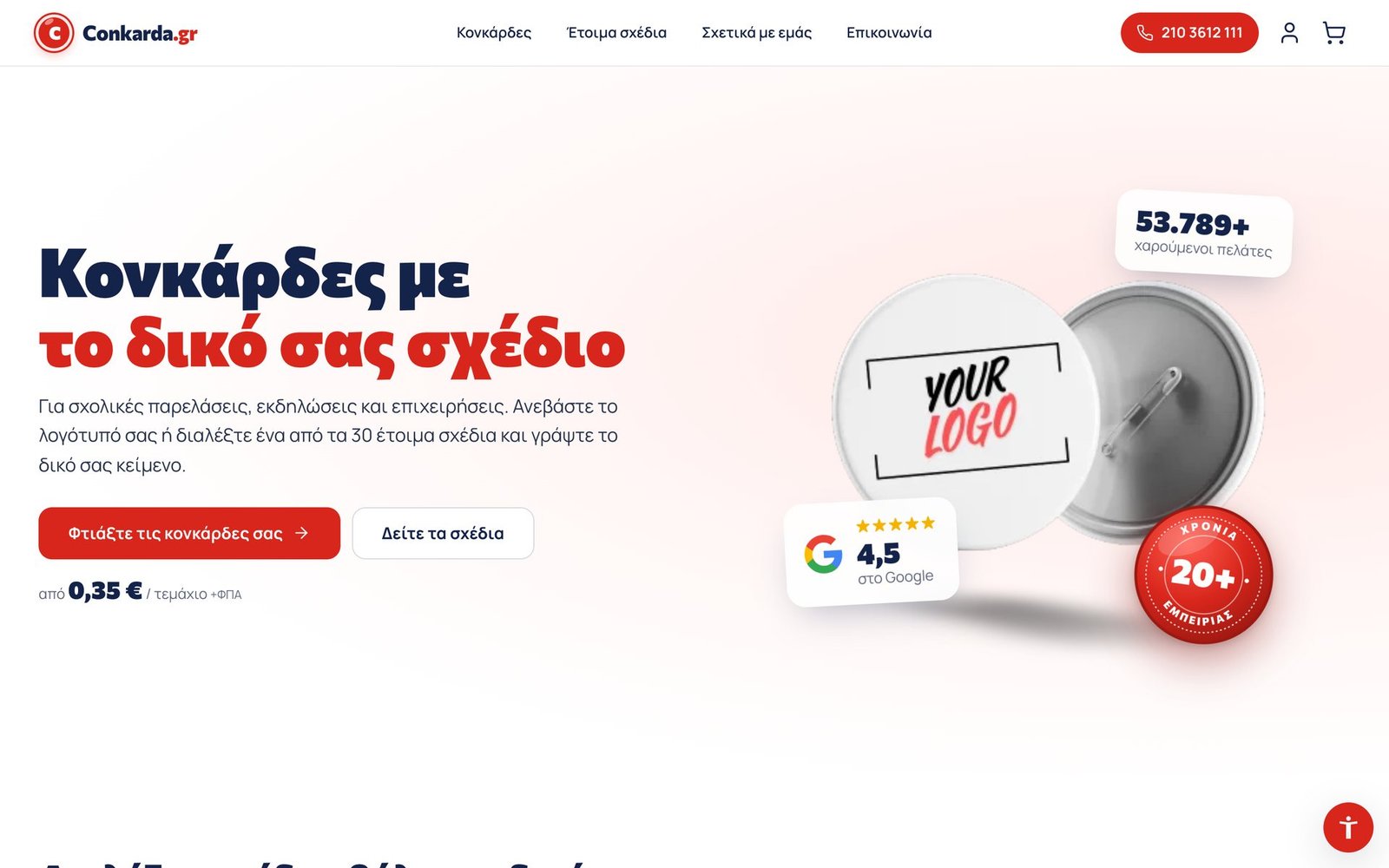
The goal
A simple, specialised shop that appears when someone searches for «badges» and completes the order in a few clicks.
What we built
- Product page as a showcase, with the badge in 3D
- 30 editable designs with live preview
- Upload your own design
- Price tiers that set the quantity
- Its own sequence on mobile
- Migration from Divi to ERP Theme
In detail
The Conkarda.gr does one thing: badges with the client's design, for school parades, associations, events and businesses. We rebuilt it from scratch on our own ERP Theme and ERP Commerce, with one idea: the customer sees their badge finished before ordering it.
Product page as a showcase
The product page fills the screen. In the centre, the badge in a 3D view that tilts with the mouse and turns when the design changes. On the left, quantity with the price tiers; on the right, the design, the text and the total. A bar with four steps (Design, Size & quantity, File or text, Cart) shows what is left and goes straight to each step.
Ready-made designs you add your own text to
The 30 ready-made designs are editable. The customer enters the top text, the number and the bottom text, and the badge is redrawn live with their own words: the school name around the rim, the number in the middle, the year below. A toggle under the badge switches between the design sample and the version with their own text, for comparison.
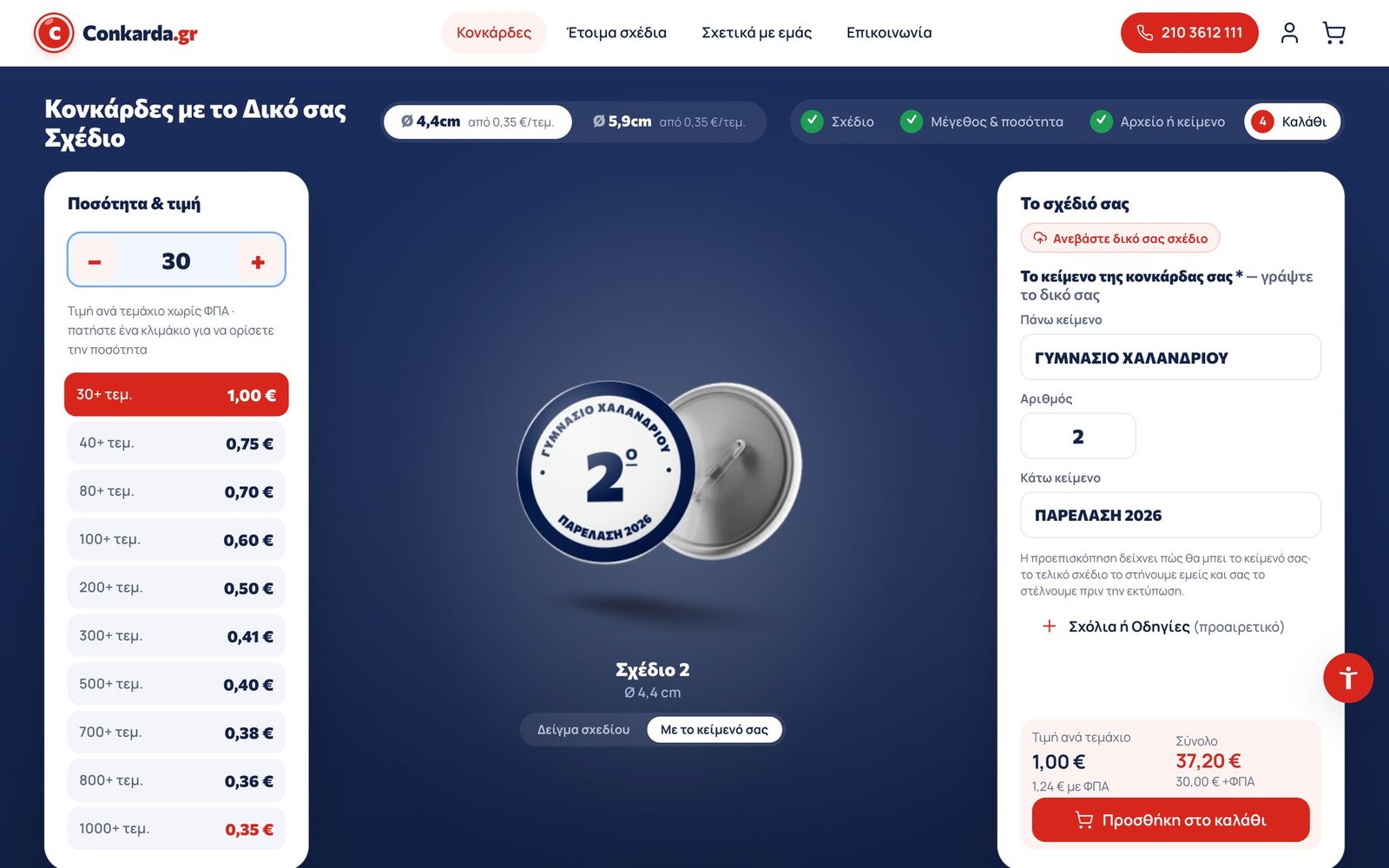
The browser draws the design in SVG, on top of the same badge photo, with each design's colours, font and wreath. This way no image is needed for each combination, and the result stays sharp on every screen size.
Or your own design
Anyone with a logo uploads it from the same card. The “Upload your own design” button brings the option forward, and the file appears on the badge.
A price you can see from the start
The price drops with quantity, from €1.00 at 30 pieces to €0.35 at 1,000+. The tiers are buttons: one tap sets the quantity, and the active tier is highlighted as the number changes. The total with and without VAT updates instantly, and the quantity stays the same when the size changes (Ø 4.4 or 5.9 cm).
On mobile
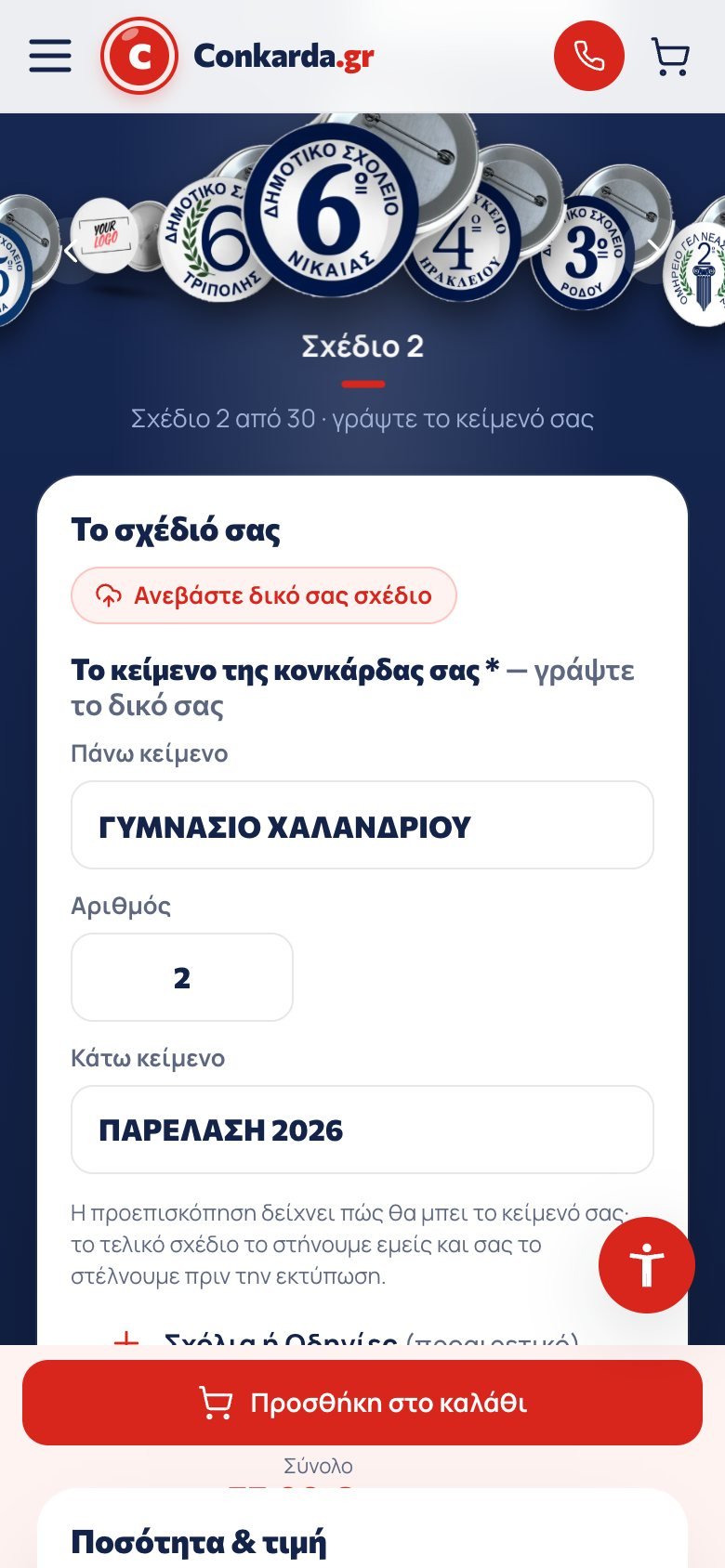
On mobile the order changes: first the badge and the designs in a carousel, then the text or file, then the quantity with the tiers in a horizontal row. The add-to-cart button always stays at the bottom.
A home page that goes straight to the design
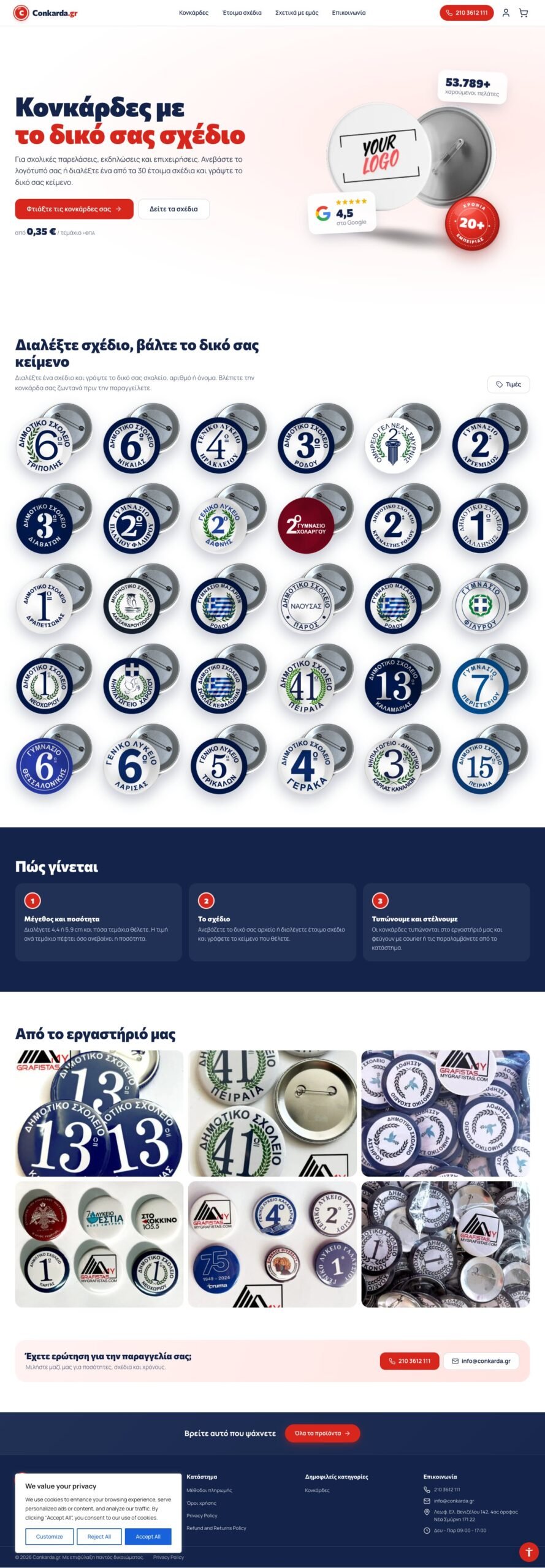
The home page shows all 30 designs. «Edit design» on each one opens the product page with that design already selected, ready for text. The price list opens in a window from «Prices», without anyone leaving the page.
Built on our own ERP
The old site was built on Divi. We cleaned it up completely and moved it to ERP Theme, with ERP Commerce for the configurator, prices and cart, and ERP SEO for the per-use pages. It is updated through the same channel as our other sites.
Gallery